


Here's a quick guide on how to reset Windows 10 to it's out-of-the-box factory state. You can either choose to do a "reinstall", where it won't touch any personal files on the drive, or a "clean install", where Windows will mark the drive as empty and you'll be starting from scratch.
Navigate To Reset Options
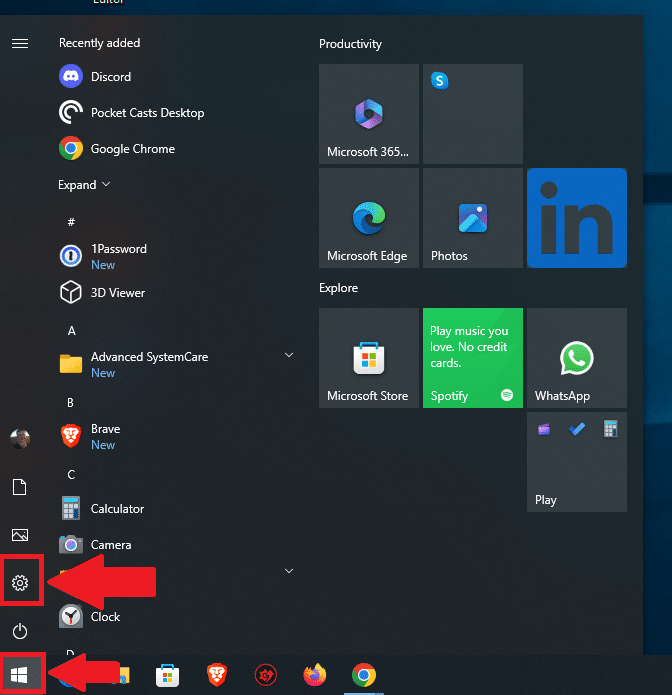
In the Start Menu, single left-click on the gear icon, or Settings.

In Settings, go to "Update and Security".
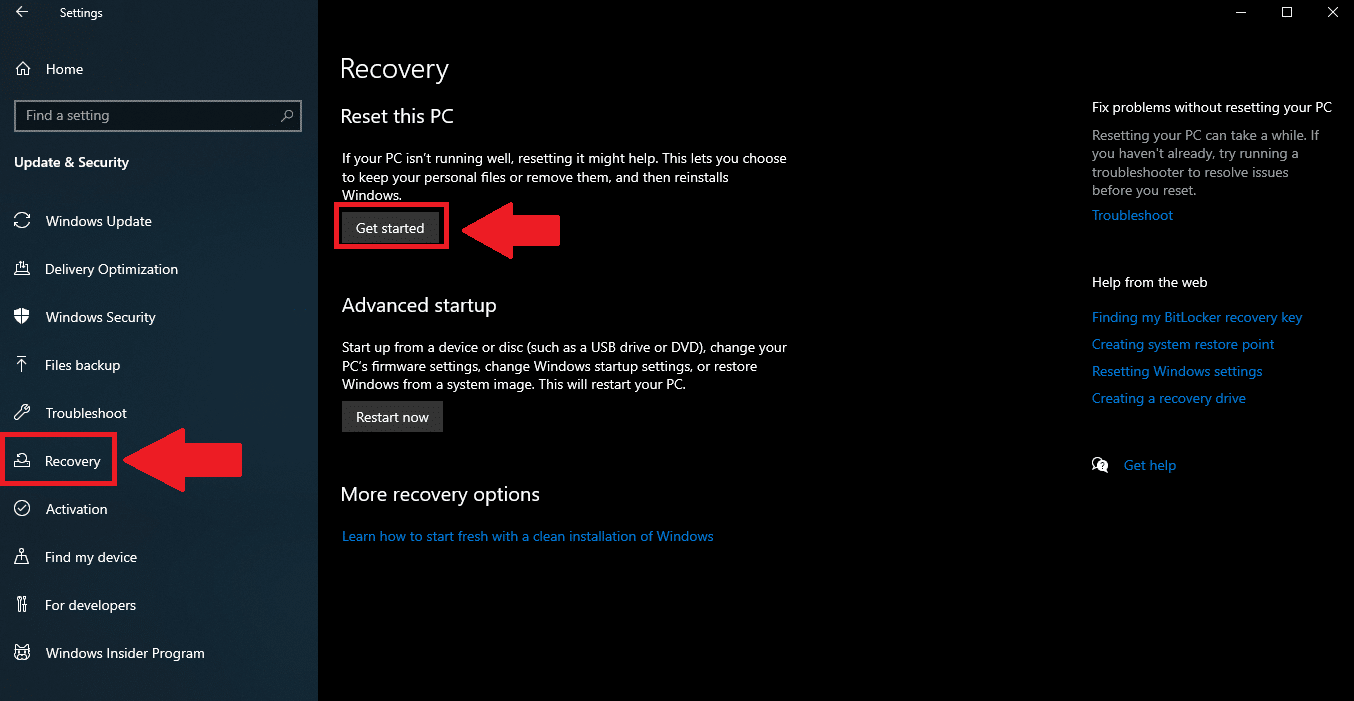
Next up, go to "Recovery" on the left, then hit the "get started" button under "Reset This PC".
Keep Files or Remove Everything
You will be given two options: "Keep My Files", or "Remove Everything".
As mentioned, "Keep My Files" will reinstall Windows 10 itself, in theory, WITHOUT touching any of your personal files, such as "Document” etc.

PLEASE create current backups of your files BEFORE resetting your PC, because nothing in life is guaranteed.
The second option is Remove Everything, which will EXACTLY THAT, so definitely have a current backup of your data if you do that. That said, I find that option to be the most reliable.
Cloud Download or Local Reinstall

Next, you can use the "Cloud Download" option to download a mostly fully updated version of Windows 10 from Microsoft.
Or, you can choose to reinstall Windows using the built-in function in Windows to use files hidden away on your hard drive already. This is ideal for those with an unreliable internet connection, or if you can't spare the 4GB on your monthly plan to download Windows from the cloud.
Either way, Windows will restart and perform the functions you've chosen. This will take a while, so feel free to go do something else and check on it. In my experience on a modern computer, it takes about a half hour.
Once this is complete, you will need to setup Windows again and personalize your experience with it. I recommend taking a look at my blog post regarding The First Things You Should Do When Setting up Windows 11.
Thank you so much for reading this blog post and for being a paid subscriber! Your support makes my work possible.