


We can no longer trust links in many emails. We’ve taken that convenience for granted for far too long. I promise you that links in emails from Substack are safe, but the real point here is that we’ve become complacent to the convenience and stuck in routine. I would even ask you to treat emails about my blog posts as simply a heads up, and go to KevinTheTechGuy.Substack.com, or soon enough simply KevinTheTechGuy.ca in your browser to read my posts.
If you’d refer to read the full posts in your inbox, let me know. If there’s enough interest, I’ll do it.
When you’re well-rested and alert, you’re less likely to fall for them if you know what to look for, but we’re all human and have moments of vulnerability. Scammers know that, and the risk of being tricked have increased exponentially, especially with their use of AI.
There’s nothing to worry about when it comes to my emails, but it’s a bad habit in general.
Less Red Flags
It used to be easy to spot a phishing email, bad grammar, awkward phrasing, or strange-looking addresses were clear red flags. But those days are behind us. Scammers have gotten smarter, and their emails have gotten cleaner. Thanks to tools like AI, they're now writing messages that are nearly impossible to distinguish from the real thing.
Even Experts Are Falling for It
Troy Hunt, the security expert behind HaveIBeenPwned.com, is one of the most respected voices in cybersecurity. Yet even he admits that he once fell for a phishing email, while tired and jetlagged. If someone like Troy can be tricked, it’s a reminder that no one is immune. We can’t rely solely on our ability to “spot the signs” anymore, because the signs are disappearing.
We’ve Been Trained to Trust Emails
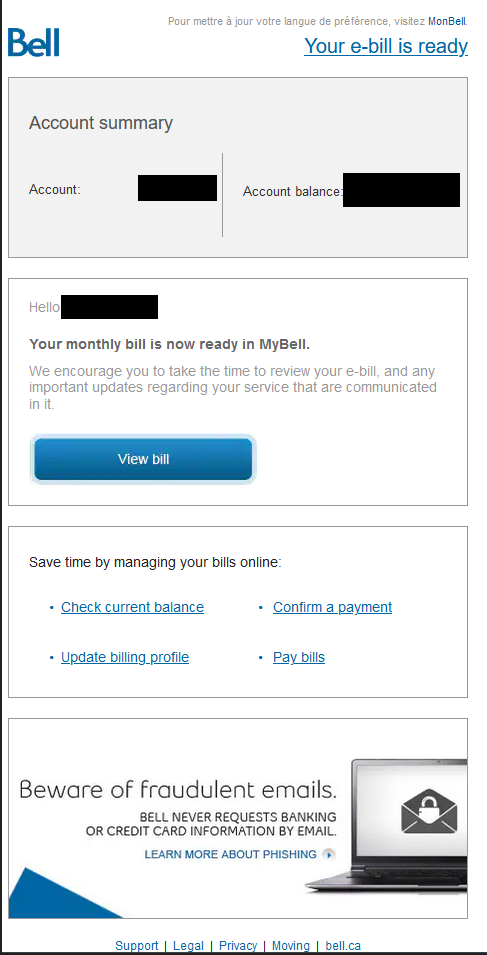
Part of the problem is that many legitimate companies continue sending these “heads-up” convenience emails. You get a message saying your bill is ready or your account needs attention, and there’s always a big button or clickable link right there. Over time, we’ve all been trained to expect this and to trust it. That conditioning works in the scammers’ favor.
AI Is Making Phishing Look Real
Scammers are now using artificial intelligence to generate emails that look perfect. The branding is correct. The tone feels right. The message layout looks exactly like what you’d see from your bank, your mobile provider, or your streaming service. You can’t rely on design or wording to clue you in anymore. AI has leveled the playing field—and not in a good way.
It’s worth noting here that when Troy Hunt was phished, who is a highly regarded authority on this very topic, his password manager’s browser extension did not autofill his login information for a particular website, and it would have if the site was legitimate, and the actual login page he signed into before, not a fake. He was tired and jetlagged and not thinking clearly. Hey, it happens to the best of us sometimes with these sneaky scammers. We’re all human.
Companies Aren’t Going to Stop
Let’s be honest, companies aren’t likely to change their habits overnight to have all their emails be a heads up. Companies rarely make changes until legally required.
They’ll keep sending those convenience emails because people expect them and customer support teams depend on them. So while we can hope that organizations will rethink how they communicate, we can’t wait for that to happen. It’s on us to take precautions now.
Here’s What I Do Instead
If I get an email about a bill or an account alert, I don’t click anything. I open my browser, type in the official website—like Bell.ca or Rogers.com—and log in myself.
The same goes for bank alerts, account changes, or verification codes. If I get a 2FA email with a code, I enter the numbers manually. I don’t click the button that says “Verify Now.” That button could go anywhere.
Treat Emails as a Heads Up, Not Action Items
These days, I treat emails as nothing more than a heads-up. They might let me know that something needs my attention, but they don’t get to take me there. I decide where to go and how to get there. I’ll always type in the web address myself. Login to your account and it’ll tell you what you need to know.
Final Thoughts
Phishing emails have become too good. The grammar mistakes and awkward phrasing are mostly gone, replaced with polished, AI-generated fakes. Even cybersecurity experts are getting caught off guard. And while companies continue to train us to click without thinking, the only safe path forward is to change our habits. Don’t click links in emails. Open your browser, go to the site directly, and log in the old-fashioned way. It’s a small shift that can save you from a massive headache.
Thank you so much for reading this post exclusive to paid subscribers. Your support allows me to do my work.