

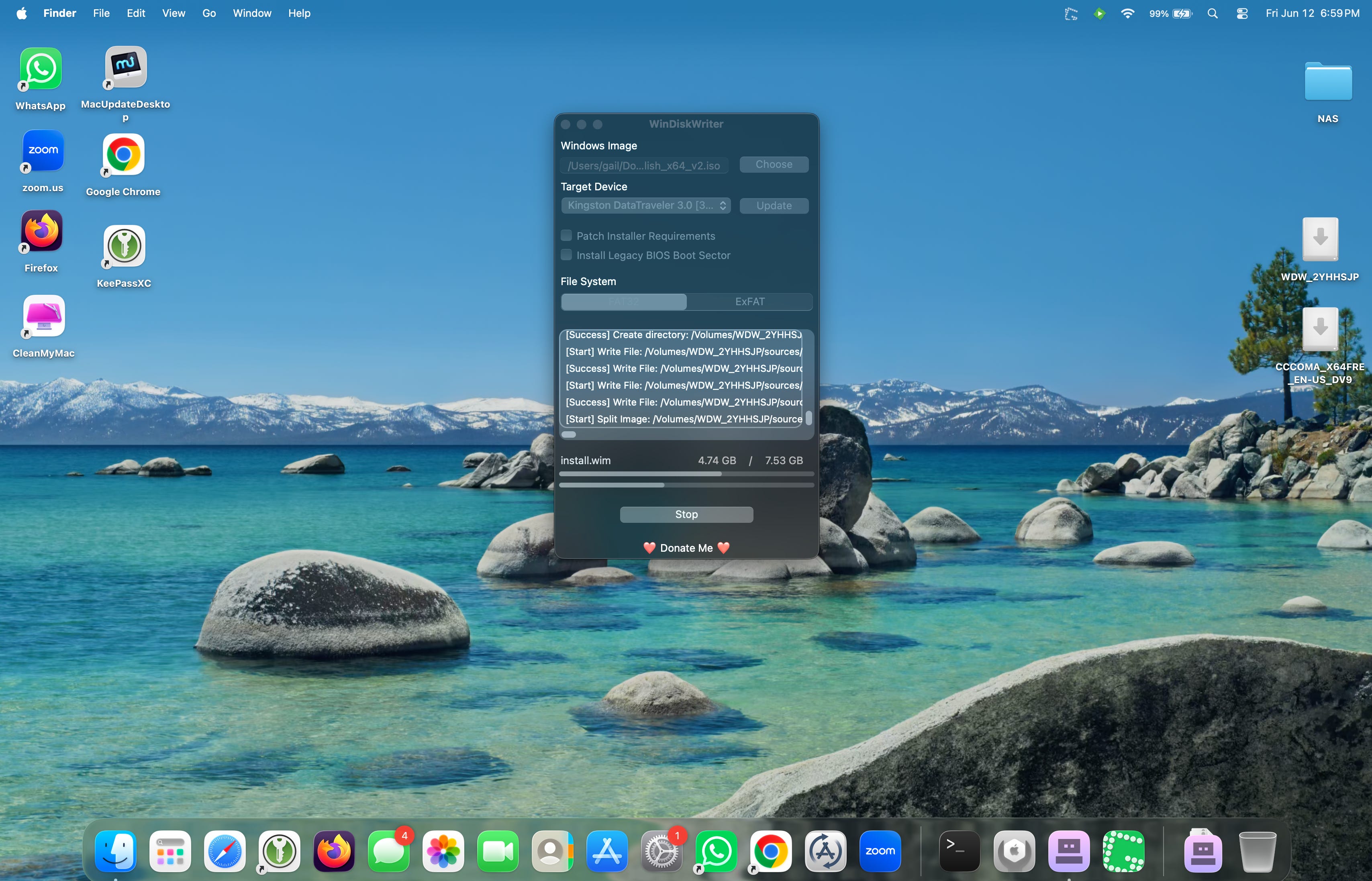
WinDiskWriter: The Mac Utility Every Windows User Should Know About
Following up on my other blog post, “My Goal Was to Wipe My Computers for Recycling, But the Windows Reset “Clean Data” Options Nearly Made My Computers Unusable. Here’s What Worked”, if you’ve ever needed to reinstall Windows from a Mac, you’ve probably discovered that creating Windows installation media is more complicated than it should be.
At first glance, the process seems simple. Download a Windows ISO, write it to a USB drive, boot from it, and install Windows, but Windows installation gets picky when it can’t find any evidence of a previous install of Windows on the drive.
Windows Installers Are Surprisingly Picky
As I have learned, many USB creation tools treat an ISO file as a generic disk image. Their job is to copy the contents of the image onto a USB drive and make it bootable.
A Windows installer contains a collection of boot files, partitions, installation archives, and configuration data that Setup expects to find in very specific ways.
A USB drive can appear to work perfectly at first, booting into Windows Setup without issue, only to fail later when Setup attempts to access files needed to continue the installation.
When you don’t have another Windows machine, you might need to resort to doing something on a Mac, as in my case.
Creating Windows installation media from macOS has historically been frustrating. As described in my other blog post, it took a while to find a solution.
How WinDiskWriter Is Different
Rather than acting as a generic imaging tool, WinDiskWriter was specifically designed to create Windows installation media in macOS. Its sole purpose is to prepare a USB drive in a way that Windows Setup expects when, in my case, the drive had been wiped clean in preparation for recycling.
Instead of simply copying an ISO to a USB drive and hoping for the best, WinDiskWriter performs additional work behind the scenes to create installation media that behaves like a proper Windows installer.
The result is a USB drive that not only boots Windows Setup but is also capable of completing the installation process successfully.
Why It Takes So Long
The first thing many users notice about WinDiskWriter is that it can be surprisingly slow, but still clearly working away.
Compared to utilities such as Balena Etcher, the process often takes significantly longer to complete. That delay can be unsettling if you’re accustomed to seeing bootable media created in just a few minutes.
The extra time is actually a clue that something different is happening.
Generic imaging tools are often focused on copying data as quickly as possible. WinDiskWriter appears to spend additional time preparing the drive specifically for Windows installation. While the exact implementation details are less important to most users, the practical result is that the USB drive is more likely to behave exactly as Windows Setup expects.
In short, the additional time isn’t necessarily a drawback. It’s part of what makes the tool effective.
Who Should Use It?
WinDiskWriter is particularly useful for:
Mac users creating Windows installation media
Users who don’t have access to a Windows PC
People who have experienced unexplained Windows Setup errors
Anyone who wants a dedicated tool built specifically for Windows installers
If you already have a working Windows computer available, Microsoft’s Media Creation Tool remains the official recommendation, but is clearly designed for a computer where a previous Windows install is evident. When that’s not the case, WinDiskWriter fills an important gap.
Closing Thoughts
One of the most valuable pieces of software is often the tool that solves a specific problem exceptionally well. WinDiskWriter isn’t trying to be a general-purpose imaging utility. It isn’t trying to support dozens of operating systems or countless use cases.
Instead, it focuses on one task: creating Windows installation media from macOS.
That specialization is precisely what makes it useful. When a Windows installer needs to work reliably, sometimes a dedicated tool under specific circumstances is exactly what is needed.